Charging masterpieces
Set up your charger
Scan the QR label with any phone, enter the setup PIN and walk through the seven-step web wizard; add the charger to your account at the end if you like.
For car owners For installers Updated 5 September 2026
On this page
Every Veton charger ships with a QR label that carries a QR code and a setup PIN. If your phone has the Veton app, scanning the code opens the app's own five-step wizard. If it does not, the same code opens a web page at v2.vetoncontrol.com and you can set the charger up in the browser. Nothing needs to be installed and you do not need an account to configure the charger.
This guide describes the web wizard, which has seven steps. The app wizard has five and is described in the guide linked at the end; both write the same settings to the charger, so use whichever you have in your hand.
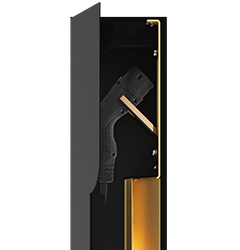
The QR label is inside the charger's components cabinet, next to the controller. Keep it: the PIN on it is what proves to Veton that you are standing at the charger.
The page says which charger you are about to configure. If the name is not the one you expect, you scanned another charger's label.
After the PIN the wizard opens. Each screen has a Continue button and a progress bar at the top so you know how far along you are.
The PIN opens the wizard for about 30 minutes. If it runs out, scan the label again and enter the PIN once more; what you already saved on the charger stays.
On the last screen you can claim the charger, which links it to your Veton account and household so you can see it in the app and on the web. Tap Claim this charger and sign in with the same account you use in the Veton app.
You may also skip this. The charger keeps working with the settings you chose, and the owner can claim it later from the app or by scanning the label and choosing Sign in instead.
If somebody has already claimed the charger, scanning the label does not show a PIN field. Instead the page says the charger is already linked to an account and asks you to sign in first. After signing in you get two choices:
Only re-commission a charger you own or have been asked to set up. The transfer removes the previous owner's access to it.
Ask your installer first. You can also reach Veton through the contact page.
Set up a charger with the QR label and the Veton app
Households and sharing access
Contact Veton Opens on another site
All guides